

ErgData is our free app for iOS and Android devices that connects to your Concept2 Performance Monitor. ErgData is your personal training partner, serving as your connection to the Concept2 community. You can choose to erg together with other members of the community on the Real Time Loop, our virtual course that is always open. You can set up workouts straight from ErgData and store them as favorites, take part in the Concept2 Workout of the Day, view additional statistics and information during workouts, track and analyze your progress and more.
ErgData syncs with the Concept2 Online Logbook, so as well as taking part in our online challenges, you can send your workouts to other platforms such as Strava and Garmin Connect.
Features
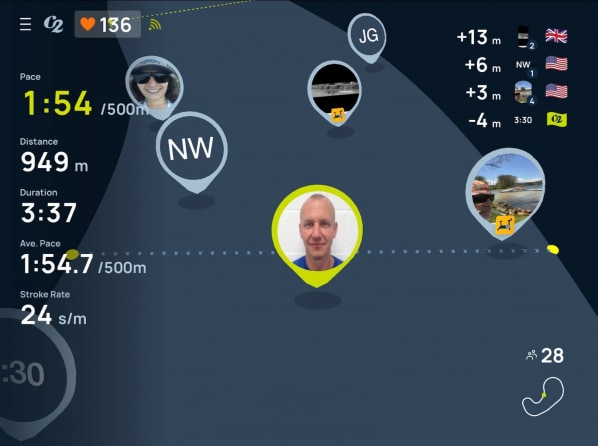
Real Time Loop
The Real Time Loop lets you work out on our shared virtual course. You can hop on to the loop any time you want to erg with other members of the Concept2 community.
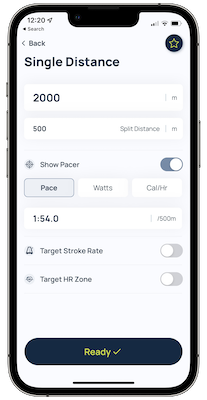
Set the Performance Monitor
ErgData allows you to set up workouts on the Performance Monitor, making it simple to create even the most complex of interval workouts. You can choose to store workouts as favorites or redo past efforts straight from ErgData.
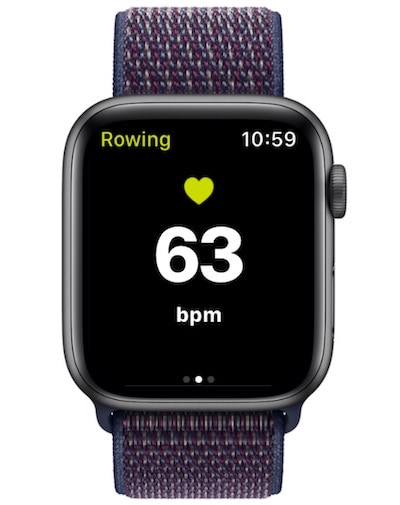
Apple Watch Compatible
ErgData is now compatible with the Apple Watch. Watch users can see heart rate data during the workout and in their logbook afterwards. Our companion Watch app is automatically installed when you download ErgData for your phone.
Choose Your Display and Make It Your Own

There are a number of different workout displays you can choose from, including small, medium and large data screens, a pace graph screen, an interval and split table, and a screen featuring a pace boat. You can easily swipe between different screens during your workout. Each screen allows you to customize the data displayed to suit you.
Challenge Yourself
ErgData automatically syncs with the Concept2 Online Logbook, making it easy for you to take part in our many popular challenges. From the online logbook, you can send your workouts to other fitness platforms, such as Strava, Garmin Connect or Training Peaks.
Track Your Progress
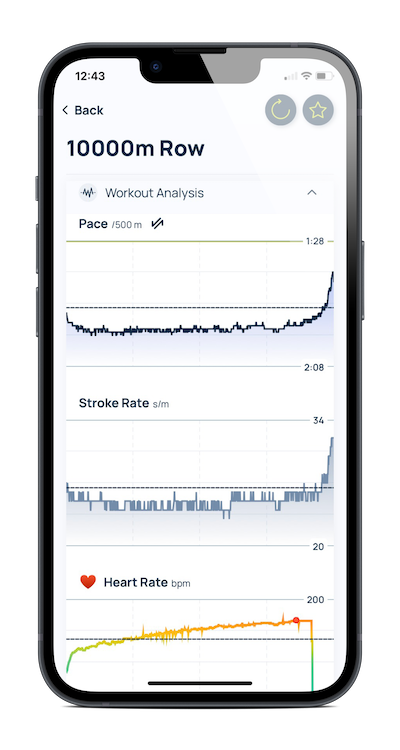
ErgData now has detailed post-workout analysis to help you know exactly what happened during your workout. You can see all your interval and split data, as well as pace and stroke graphs, plus how long you spent in each heart rate zone. ErgData will also update both Apple Health and Google Fit.
Workout of the Day
The Concept2 Workout of the Day is now available in ErgData and you can easily set it up on the monitor with a single tap. Each day there's a leaderboard on the online logbook so that you can see how the rest of the Concept2 community did on the workout.
Accessibility
We’ve worked with the American Council of the Blind to help make ErgData accessible for a wide audience. As well as being able to choose easily readable displays, the app can use voice guidance to send audible workout data and results.
Technical Specifications
- Compatible with the PM5. PM3 and PM4 users can retrofit a PM5 to their existing machine.
- Compatible with the Concept2 RowErg, SkiErg and BikeErg
- Available for both Apple iOS and Android
- Connect to Apple Health and Google Fit
- Connects via Bluetooth only
ErgData


ErgData Android APK
Can't access Google Play? No problem: Download ErgData Android from concept2.com(APK).
Downloading with Chrome? After download, you may need to rename the file from ergdata.zip to ergdata.apk in order to install.
Before installing this on your phone, make sure that third-party apps are allowed on your device. This allows your phone to install apps from sources other than Google Play.
On your device:
- Go to Menu > Settings > Security.
- Select Unknown Sources.